The sellers who win on TikTok are not posting more every day; they are posting smarter. The difference is having a simple TikTok content calendar that shows what to post and when to post it. Without it, you may delay posts, run out of ideas, or post without a clear plan.
Posting regularly is important for growth on TikTok. When you post around clear themes, people start to recognize your brand and trust your content. Over time, this helps your engagement stay steady.
In this guide, you will learn how to build a TikTok content calendar. You will also learn how to add strong ideas and improve them using real performance data.
Why TikTok Sellers Need a Content Calendar
A content calendar is a simple plan that shows what you will post and when. It helps you avoid deciding things at the last minute.
As a TikTok seller, you need a content calendar because selling on TikTok is more than posting random product videos. You should post different types of content like product videos, trends, tips, stories, and posts that speak to your audience.
Without a plan, it is hard to keep variety in your content. You may stop posting for days or keep using the same type of videos. This can lower engagement over time.
A TikTok content calendar helps you plan your products, audience, and content goals. It also helps you prepare for launches, seasonal sales, and trends before they happen.
As a result, your content feels more organized and easier to maintain over the long run.
Also Read:
- TikTok Shop Statistics: Online Marketplace Trends
- Easter Gifts 2026: Profitable Tech Ideas to Sell Online
Step 1 — Define Your Content Pillars
Content pillars are the main ideas in your TikTok content calendar. They help you know what to post and stay focused.
In other words, they are 3–4 content ideas that show what your TikTok page is about. For a print-on-demand store, your TikTok content calendar can use pillars like these:
- Product Showcases: Showcase your products
- Behind-the-Scenes: Reveal how you make or design things
- POD Education: Teach simple print-on-demand tips
- Niche Storytelling: Share stories your audience relates to
If you use too many pillars, your message becomes confusing. A clear TikTok content calendar helps people understand your brand.
Additionally, having 3–4 pillars also makes it easier to post often without stress. It helps your audience know what to expect from you.
So, how do you choose yours? Start with your product, your audience, and your niche. Then match each one to a pillar that fits your 2026 TikTok content strategy.
Step 2 — Decide Your Posting Frequency
Your TikTok content calendar only works if you choose a posting plan you can follow. The goal is to post good content often without getting tired.
Here’s a simple guide to follow:
- For growth: Aim for 4–5 posts a week
- For maintenance: Stick to 2–3 posts a week
- Quality over quantity: One good video is better than many weak ones
- Batch creation: Make many videos at once and schedule them
Your posting plan should match your time and energy. Posting every day may sound good, but rushed videos usually do not do well.
Sprout Social studied nearly 2 billion engagements across 307,000 profiles. It found that posting strategically can help your content get more engagement over time.
This is why a simple TikTok posting schedule is helpful. It helps you stay consistent with your posting.
Instead of making videos every day, you can make many at once and post them during the week. This makes things easier and less stressful.
Step 3 — Build Your Weekly Content Template
A weekly template helps you follow your TikTok content calendar with ease. It gives your posting a clear pattern. Instead of guessing what to post each day, you follow a simple plan.
Here’s a practical weekly template you can use:
- Monday: Show a product or new launch
- Tuesday: Behind-the-scenes or how you make it
- Wednesday: Simple POD tip or short lesson
- Thursday: Use a trend with your product
- Friday: Share a story your audience can relate to
- Weekend (optional): Answer questions or share customer posts
This plan helps you mix selling, teaching, and storytelling. This keeps your audience interested without feeling bored or overwhelmed.
It also makes things easier for you. You already know what to post each day. This saves time and helps you stay consistent with your TikTok content calendar.
Step 4 — Plan Seasonal and Promotional Content in Advance
Knowing how to plan TikTok content for holidays and sales helps you grow your audience. With a TikTok content calendar, you have time to plan, test ideas, and schedule posts without stress.
Start by planning 4–6 weeks before big dates like Valentine’s Day, Mother’s Day, Halloween, and Christmas. This gives you enough time to prepare and avoid last-minute pressure.
Here’s what to focus on:
- Valentine’s Day: Couple gifts and love designs
- Mother’s Day: Personal gift ideas
- Halloween: Fun, bold, and seasonal designs
- Christmas: Gift bundles and special offers
Next, use seasonal sounds and hashtags. This helps more people find your content at the right time.
Now here’s the balance. Keep promotions simple. Do not hard sell. Instead, show how your products fit into everyday life.
Step 5 — Use TikTok Analytics to Improve Your Calendar
A strong TikTok content calendar is not fixed. It changes based on what works best. First, go to your TikTok Analytics in the Creator Dashboard. This is where you see real data, not guesses.
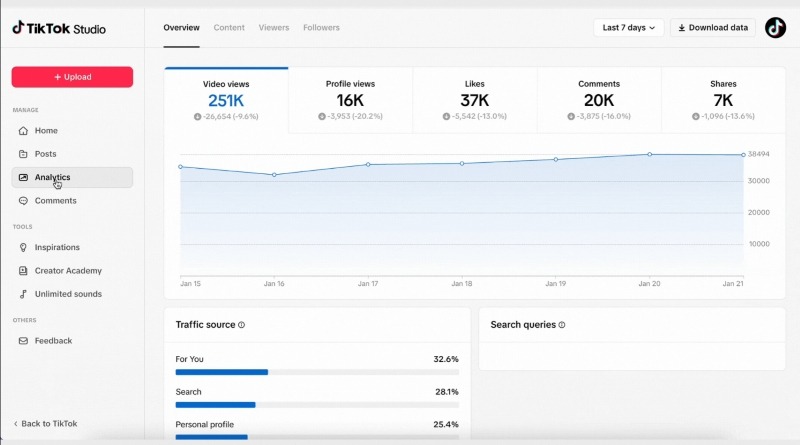
Each week, focus on these key metrics:
- Views: How many people watched your video
- Watch time: How long people stayed
- Profile visits: How many people checked your page
- Follower growth: How many new followers you got
Now simply use this data. If a video does well, do not stop there. Use the idea again. You can change the hook or make a follow-up video.
If videos do not do well, something needs to change. You may need a new hook or a different idea.
TikTok analytics for ecommerce help as well. It shows which POD videos get attention and sales, not just views.
In the end, use your analytics to plan your next month. Your TikTok content calendar should match what your audience likes.
Also Read:
- How to Monetize TikTok: A Step-by-Step Guide
- 30 Spring Products to Sell in 2026: Ideas for Online Stores
Tools to Manage Your TikTok Content Calendar
A strong TikTok content calendar is easier to maintain when your tools match your workflow. Some tools help you plan ideas, others help you schedule posts or track performance.
Let’s look at the tools that can help print-on-demand sellers plan, organize, and manage their content more effectively.
1. Google Sheets
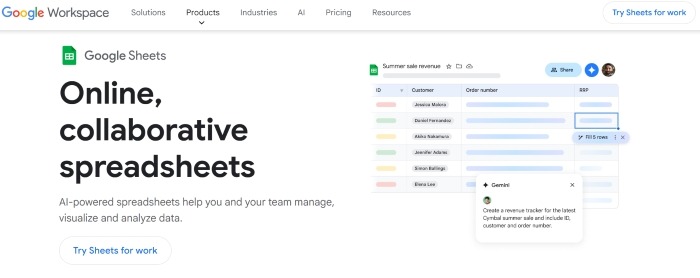
Google Sheets is a simple tool you can use to plan and organize your content in one place. You can plan posting dates, content ideas, captions, and product launches in a clear layout that you can update anytime.
It helps keep your weekly and monthly content easy to follow without using complex tools. It is ideal for beginners who want a free and flexible way to manage their TikTok content calendar.
Pricing
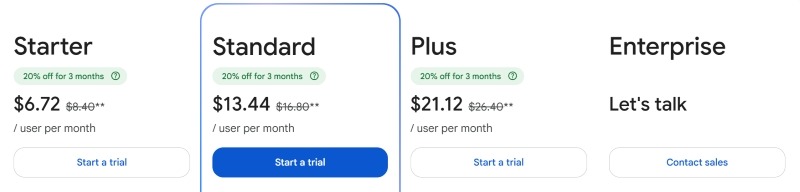
Google Sheets is free to use with a Google account. It works for basic planning and teamwork. Businesses that need more features like extra storage and admin tools can upgrade to Google Workspace plans starting at $8.40 per month.
2. Notion Templates
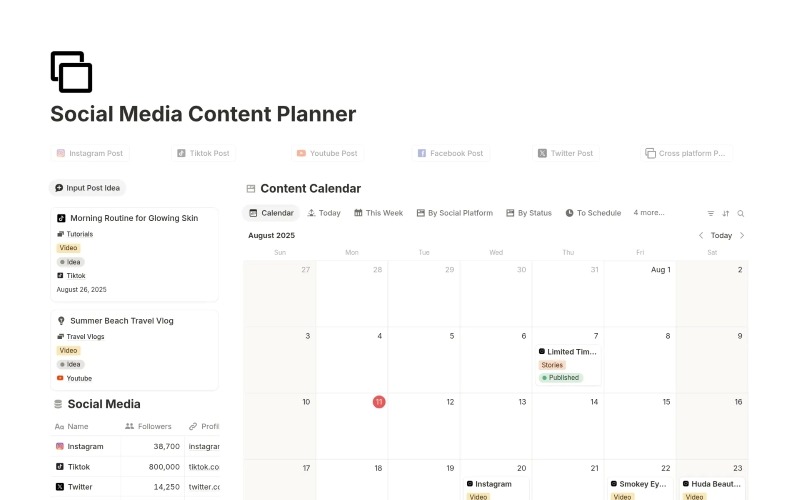
A Notion template helps you keep your ideas, calendar, and work in one simple place. It usually comes with boards, lists, and trackers already set up.
It saves you time because you do not need to build anything from scratch. You can start planning your content right away. You can also store your ideas and track your posting in one place.
Notion is good for people who want an easy visual way to manage their TikTok content calendar without setting everything up themselves.
Pricing
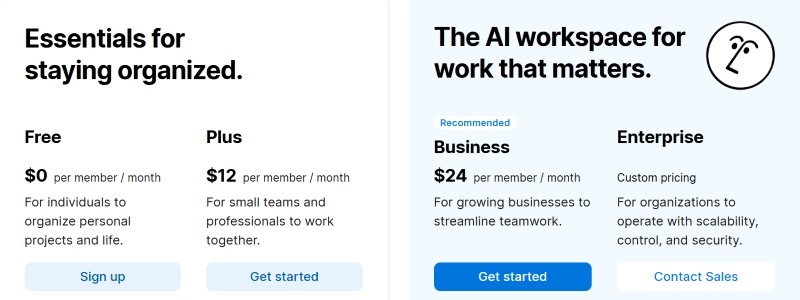
Some Notion templates are free. Others cost money as a one-time payment, depending on the creator and features. Notion also has free and paid plans for its workspace.
3. Later

Later is a scheduling tool that helps you plan your posts using a visual calendar before they go live. You can drag and drop content, map out your week, and set posts to publish later.
It helps you stay consistent by removing the need to post manually every day. This gives you better control over timing and more space to focus on creating content instead of daily uploads.
It works well for creators who want a simple way to automate posting and keep their TikTok content calendar steady.
Pricing
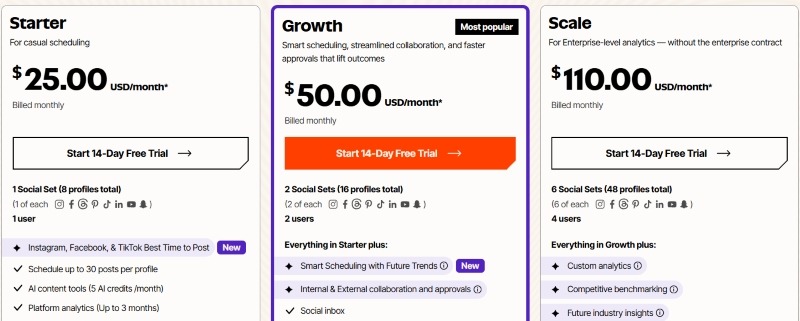
Later offers a 14-day free trial, after which users need a paid plan starting from $25/month to continue. Paid plans include different scheduling limits, with higher tiers offering more or unlimited post scheduling.
4. Buffer
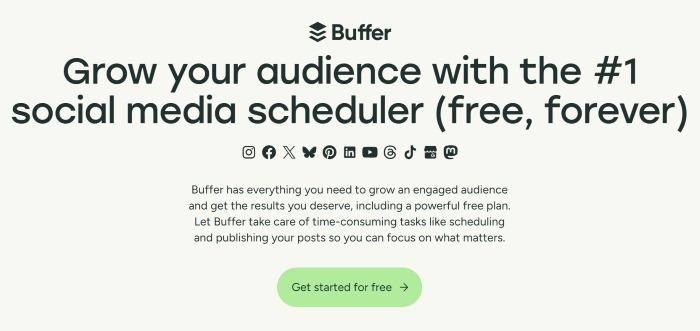
Buffer is a tool that helps you schedule and manage posts on different platforms from one dashboard. It helps with planning content for TikTok and other channels in one place.
It keeps everything in one system, helping you stay organized. This makes it easier to manage more than one platform. It also saves time because you do not need to switch between different tools or accounts.
Buffer is best for creators and small teams who manage many social channels while keeping their TikTok content calendar in order.
Pricing
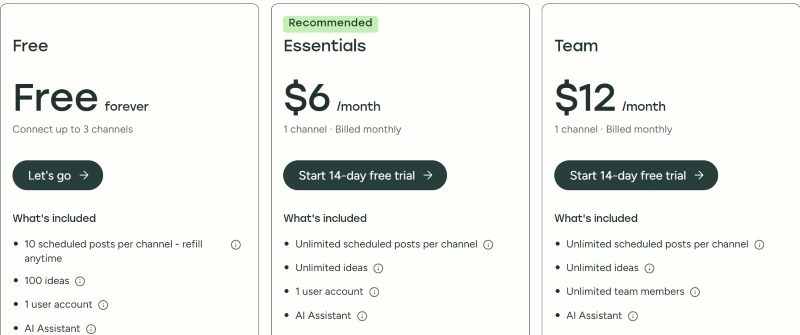
Buffer has a free plan with a limited number of scheduled posts. Paid plans start at $6 per month and include more features like unlimited scheduling and better analytics.
5. Trello
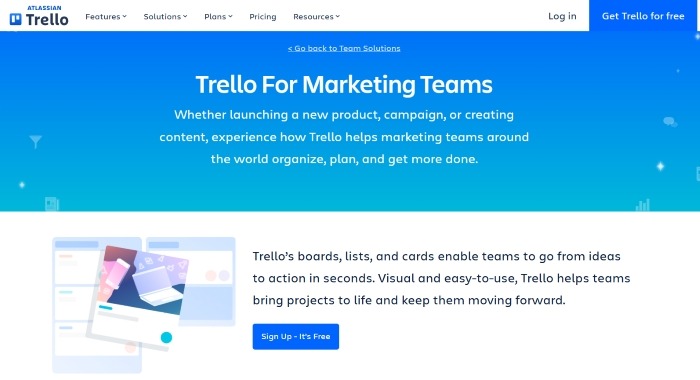
Trello is a tool that helps you organize your content using boards. You can move tasks through steps like ideas, filming, editing, and posting.
It helps you track your workflow step by step so nothing is missed. This makes it easier to manage your content, especially when you have many ideas at the same time.
It is best for people who prefer a visual way to plan their TikTok content calendar instead of using spreadsheets.
Pricing
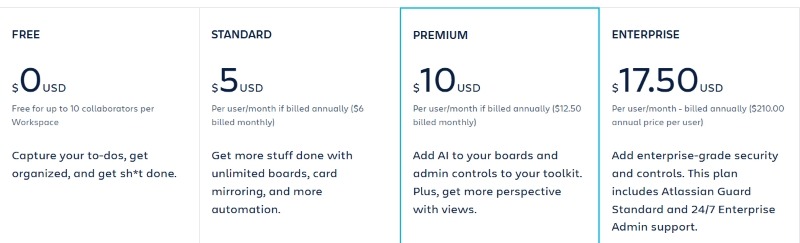
Trello has a free plan with basic features and a limited number of boards. Paid plans start at $6/month and include more features like automation and team tools.
6. Airtable
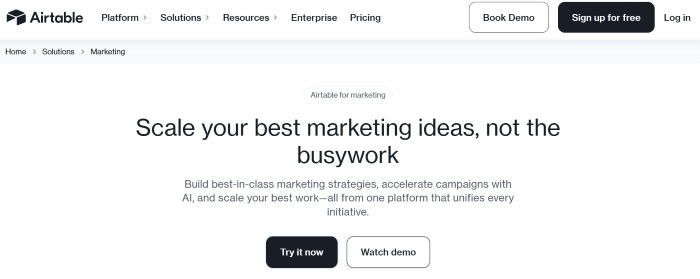
Airtable is a tool that helps you manage content in one place. It mixes a spreadsheet and a database. You can track content ideas, campaigns, results, and posting history in one system.
It helps you handle more content in an organized manner. You can see your data clearly and track how your posts are doing. This is useful for experienced creators or teams that manage many posts and campaigns at the same time.
Pricing
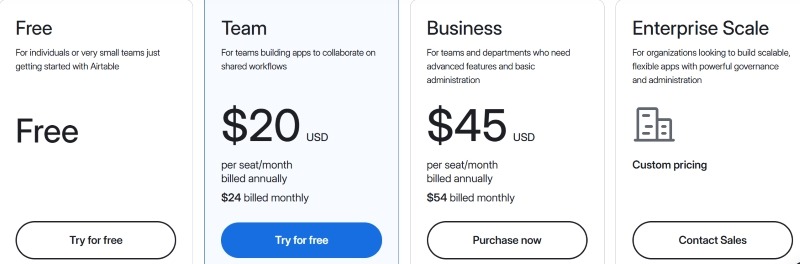
Airtable has a free plan for basic use. Paid plans start at $24/month and give you more features like automation, tracking, and teamwork, too.
Also Read:
FAQ
1. How many times a week should I post on TikTok for my POD store?
For steady growth, aim for 4–5 posts per week. This keeps your TikTok content calendar active without burning you out.
2. What’s the best time of day to post on TikTok?
The best time depends on your audience. Start by testing evenings and lunch hours, then adjust based on which posting times perform best.
3. How do I come up with TikTok content ideas for print on demand?
Focus on your pillars, such as products, stories, and education. This keeps your TikTok content calendar full of repeatable ideas.
4. Can I schedule TikTok posts in advance?
Yes. You can use TikTok’s built-in scheduler or tools like Later or Buffer to support your TikTok content calendar.
5. How do I use TikTok analytics to grow my store?
Check views, watch time, and follower growth weekly. Then adjust your TikTok content calendar based on what performs best.
6. Should I use trending sounds for every TikTok video?
No. Use them when they fit your content. Balance trend-driven posts with evergreen ones in your TikTok content calendar for stability.
Conclusion
A strong TikTok content calendar is not about posting more. It is about posting with a clear plan. When you follow a simple system, it is easier to manage your content and stay focused on your goals.
Success on TikTok comes from planning, checking what works, and using tools like Google Sheets, Notion templates, and scheduling tools. This helps you stay on track and post with more confidence.
Whether you are just starting or growing a POD store, a social media content calendar for POD helps you post with purpose.

Saulius Meilutis is the CEO of Podbase, helping creators and entrepreneurs monetize their ideas with print-on-demand. He shares insights on eCommerce, growth, and building lean online businesses.

.avif)









.avif)
.avif)
.avif)
.avif)
.avif)
.avif)

.avif)





.avif)
.avif)


.avif)

.avif)

.avif)