.avif)
You need print-on-demand designs that sell, but sourcing them isn’t always easy. Should you create them yourself or buy ready-made ones? That choice affects your budget, your time, and your brand identity — and the honest answer is that it depends on your skills, budget, and goals.
This guide breaks down both paths — creating and buying — plus the best design tools, where to buy safely, the licensing rules that keep you out of trouble, and a simple framework to decide. The bigger lesson from our own seller data, though, is that where your designs come from matters less than how fast you get them live and tested. Let’s dig in.
How to Create Your Own Print-on-Demand Designs
Creating your own print-on-demand designs puts you in the driver’s seat: you control every detail, never worry about copyright issues, and won’t see your designs in competitor stores. It takes time to learn, but once it clicks, creating is faster and cheaper than buying.
Step 1: Understand What Sells (Research Trends & Niches)
Before designing, learn what people actually buy. Text-based designs perform especially well in print-on-demand — funny quotes, motivational sayings, and phrases tied to specific hobbies. Popular categories include:
- Fitness and wellness quotes for activewear
- Gaming references for tech accessories
- Pet-lover designs for mugs and shirts
- Professional humor for office workers
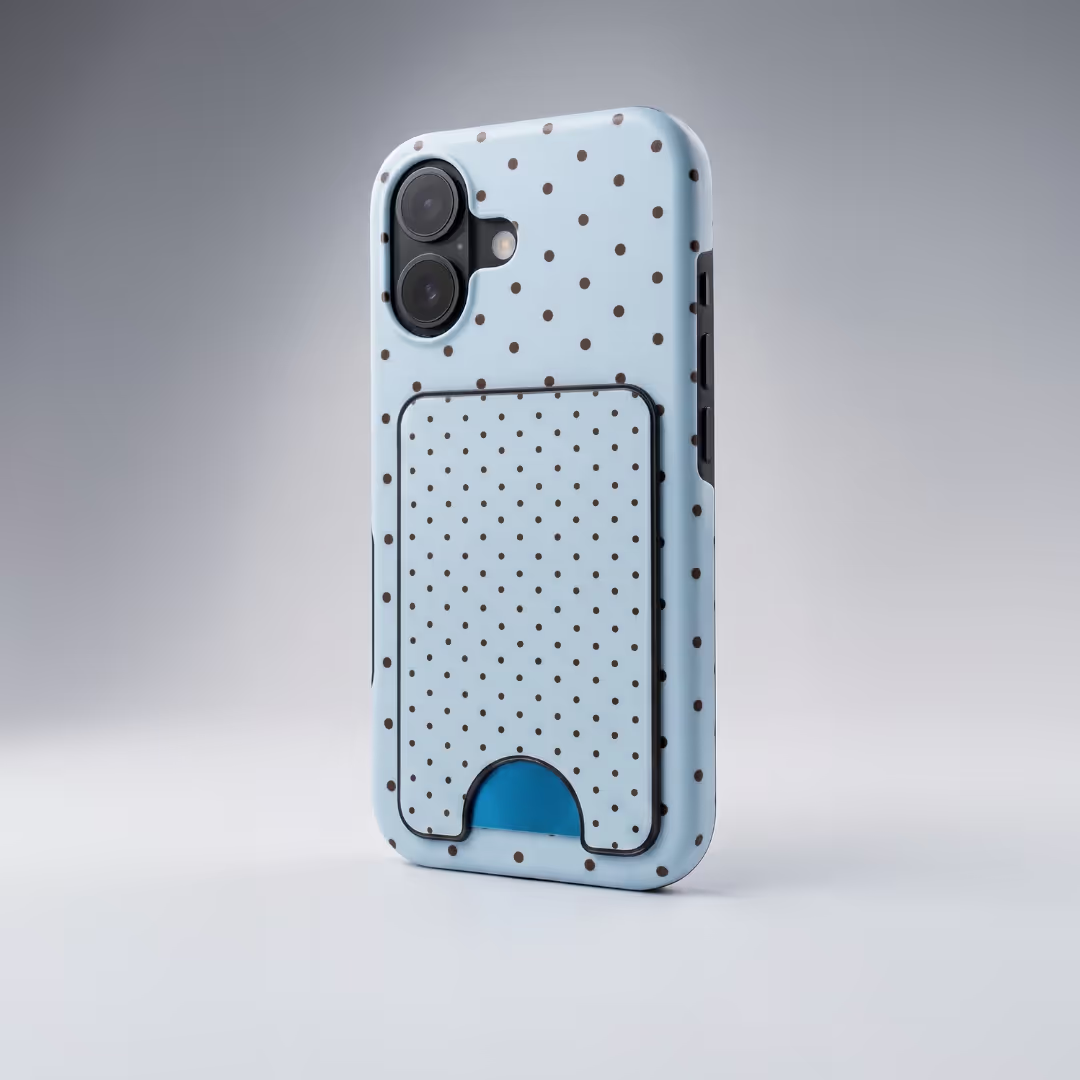
- Travel themes for bags and phone cases
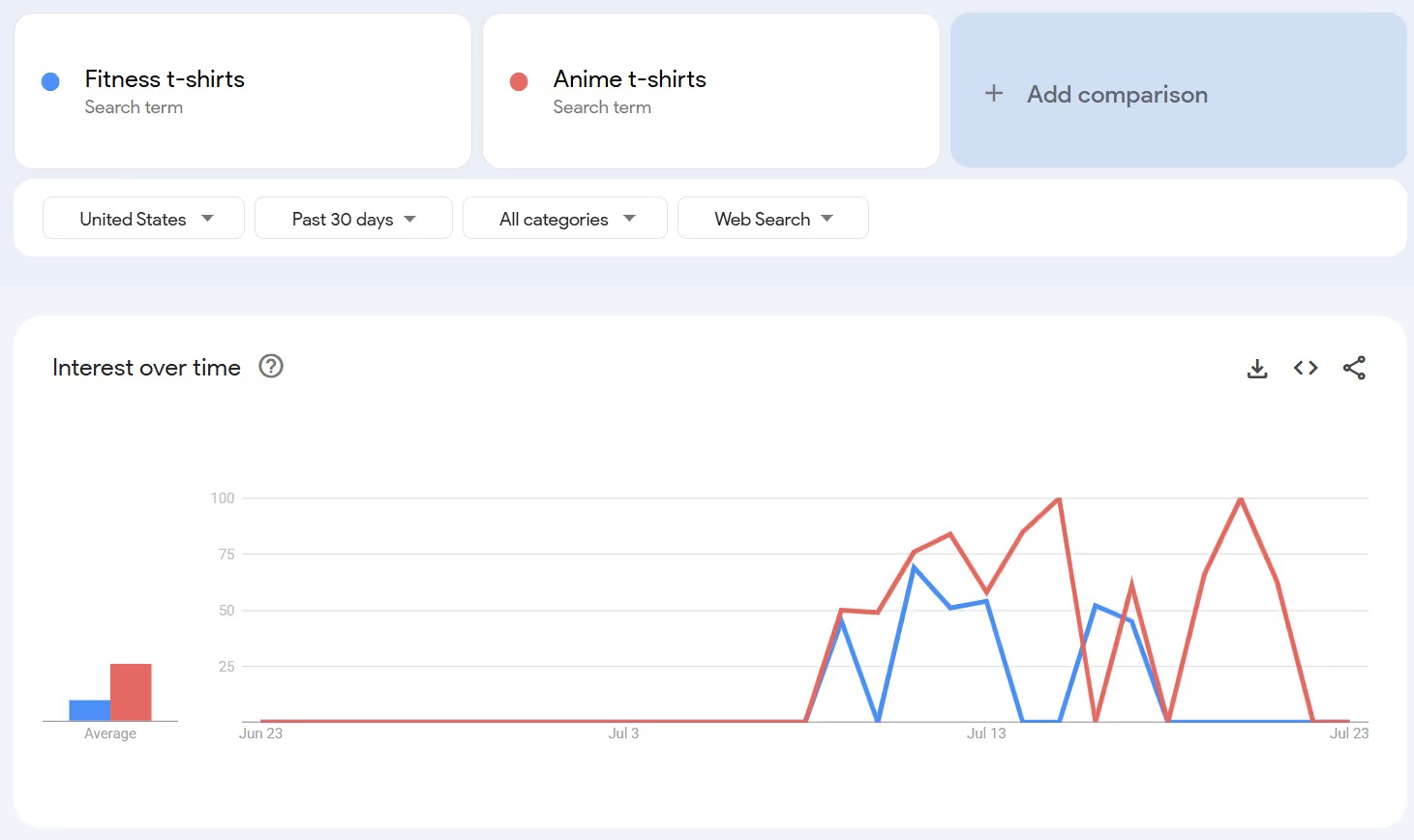
Check trending hashtags on Instagram and TikTok, scan bestsellers on Etsy and Amazon, and use Google Trends to spot demand. For example, fitness t-shirts sell all year, while anime designs spike seasonally.
Also Read:
- Easy Things To Make and Sell From Home for Profit
- Money-making Hobbies That Can Earn You Money
- Inspiring Digital Art Ideas for Your Print on Demand Designs
Step 2: Choose a Design Tool
You don’t need expensive software to make winning designs. Three tools cover most beginners and pros — Canva, Adobe Illustrator, and Kittl. Here’s how they compare (pricing is approximate — always check current rates):
Step 3: Follow Design Best Practices
Great print-on-demand designs follow a few rules that protect quality and sales:
- Use high-resolution images: low-res designs print blurry and hurt your brand. Design in CMYK and at the largest size your platform recommends — Podbase wants files of at least 260 DPI, and color is verified on a spectrophotometer, so a clean high-res file is what makes the final print look premium.
- Avoid copyright violations: create original work or use assets you’re licensed for — your tool’s built-in free graphics are a safe start (more on licensing below).
Test placement on mockups: what looks good on screen may not work on a t-shirt or phone case. Use mockup previews to see the design on the real product before you publish.
Also Read:
- How to Make Money Using AI Quickly and Easily
- Pantone Color of the Year 2026: Trends & POD Product Ideas
Step 4: Organize and Export Your Files Properly
Organized files save time and prevent upload mistakes. Save designs in multiple formats (PNG for transparency, SVG for lossless scaling), create clearly named folders by category, and export at each platform’s recommended size. Podbase wants files of at least 260 DPI; Printify prefers specific pixel dimensions — always check your provider’s requirements first. For full file specs, see the Podbase design guide.
Where to Buy Designs for Print-on-Demand (Safely)
Buying designs launches your store faster — you skip the learning curve and get professional artwork right away. The trade-offs are cost and the chance others buy the same design, so the goal is trusted marketplaces selling unique work with clear commercial rights.
Top Print-on-Demand Design Marketplaces
Five reliable places to buy designs, with approximate pricing:
What to Look for When Buying Designs
- Commercial-use rights: look for “commercial license,” “extended license,” or “print-on-demand license” in the description.
- File quality: download a sample before buying large bundles to check resolution and color — poor files mean blurry prints.
- Editable templates: PSD, AI, and EPS files let you change colors and text to match your brand.
- Niche relevance: niche-specific artwork that speaks to your audience outperforms generic designs.
Free vs Paid Designs
Free sites like Freepik and Pixabay offer thousands of graphics at no upfront cost, but licensing often restricts commercial use or requires attribution — and the same free designs appear across countless POD stores, eroding your edge. Paid designs typically include clear commercial licenses, higher quality, better support, and more legal protection.
Also Read:
- Best Etsy Alternatives for Sellers (Free & Paid)
- Wedding Gift Ideas: 10 Personalized Gifts Couples Will Love
Design Licensing and Copyright Rules
Licensing mistakes lead to copyright strikes, takedowns, or legal trouble, so understand the rules before you sell. “Royalty-free” doesn’t mean free for commercial use — it means no ongoing royalties; you may still need to buy a license. Standard licenses usually cover personal use only, while print-on-demand needs an extended or commercial license. Avoid trademarked or copyrighted content (Disney characters, sports logos, celebrity faces) without permission, confirm the seller owns full commercial rights, and keep a copy of every license as proof. For a deeper dive, read our guide on how to avoid copyright infringement.
Should You Create or Buy Designs? (Decision Framework)
Four factors decide what’s best for your print-on-demand business:
- Budget: creating costs time but saves money long-term (Canva Pro ~$15/mo vs $20-50 per bought pack).
- Design skills: beginners need a few months to create sellable work; experienced designers should lean toward creating.
- Branding goals: a recognizable brand needs a consistent visual style, which is hard to get buying from many sources.
- Time constraints: quality designs take hours each at first, so if you’re stretched thin, buying can win in the short term.
But here’s the part most guides miss: the create-versus-buy debate matters far less than how quickly you launch and test. Our Head of Sales, Sidas, calls the trap the “guessing phase” — sellers who spend months perfecting a store that never goes live. The ones who win “move fast and test first… three to five designs live… most successful stores are up and running within two weeks.” A seller who publishes five products in 30 days is already ahead of 80% of POD stores, and ten sales puts them in the top 10%. Whether those first designs are made or bought is secondary to getting them in front of real buyers.
Mix Both: A Hybrid Strategy for POD Stores
The strongest approach is hybrid. Create 5-10 core designs that define your brand style — your signature pieces, the ones our product team would call “an extension of who we are” — then buy complementary designs for holidays, trends, or new product categories. You get brand consistency and speed to market at once.
Conclusion
Choosing between creating and buying print-on-demand designs doesn’t have to be either-or — most successful sellers use both at different stages. Create to build brand identity and save long-term; buy quality, properly licensed designs when you need to launch fast. Above all, verify licensing, avoid copyright violations, and ship quickly so real sales can guide what you make next. Ready to turn designs into products? Create a Podbase account today to get started.
Also Read:
- How To Make Printables To Sell Online and Make Money
- How To Start a Profitable Print-on-Demand Business
- 50+ Unique Tote Bag Design Ideas: A Print On Demand Guide
FAQ
1. Should I create or buy print-on-demand designs?
It depends on your skills, budget, and time. Creating your own designs gives full control, stronger branding, and no licensing risk, but takes time to learn. Buying from marketplaces launches you faster for a cost. Most successful stores use a hybrid: 5-10 signature designs of their own plus bought pieces for holidays and trends.
2. Can you use Canva for print on demand?
Yes. Canva works well for print-on-demand, and its commercial license covers POD sales when you use Canva Pro. Free elements can carry restrictions, so upgrade to Pro for full commercial rights. Always export at the highest resolution your POD platform recommends so prints stay sharp.
3. Can you use free stock images on print-on-demand products?
Often not without checking. Most free stock images require attribution or restrict commercial use. Sites like Unsplash and Pexels offer some commercial-friendly options, but you must read each image’s license before putting it on a product you sell. When unsure, use original or properly licensed artwork instead.
4. What design tools are best for print on demand?
Canva (from free, Pro around $15/month) is best for beginners; Adobe Illustrator (around $23/month) is best for detailed, scalable vector art; and Kittl (from around $15/month) sits in between with print-on-demand-specific fonts and templates. Most sellers start on Canva and add Illustrator or Kittl as their skills grow.
5. Where can I buy print-on-demand designs safely?
Trusted marketplaces include Creative Market, Envato Elements, Designious, Etsy, and Vexels. Prices range from about $12-50 a month or per pack. Always confirm the listing includes a commercial or print-on-demand license, check file quality, and keep a copy of the license as proof of your rights.
6. What file format and resolution should print-on-demand designs be?
Use PNG for most products (it keeps transparency) and SVG when you need to scale without quality loss. Design in the CMYK color space and export at high resolution — Podbase recommends at least 260 DPI. Low-resolution files print blurry, so always match each platform’s recommended size before uploading.

Saulius Meilutis is the CEO of Podbase, helping creators and entrepreneurs monetize their ideas with print-on-demand. He shares insights on eCommerce, growth, and building lean online businesses.

.avif)



.avif)
.avif)
.avif)
.avif)
.avif)
.avif)

.avif)


.avif)
.avif)

.avif)

.avif)
.avif)