.png)
How to Sell Digital Products on Amazon: Quick Insights
- Main Platforms: Kindle Direct Publishing (KDP), Merch on Demand, TuneCore, Amazon Appstore, Audible
- Product Types: Ebooks and planners, digital art and POD designs, music and audio files, mobile apps and games, audiobooks
- Startup Costs: Low upfront investment, no physical inventory or shipping, mainly platform and distribution fees
- Royalty Ranges: 35-70 percent for KDP ebooks, up to 100 percent of music royalties via TuneCore minus fees, 70 percent of app list price, variable Merch on Demand royalties, 30-50 percent for Audible audiobooks
- Best For: Authors, designers, musicians, developers, and POD sellers who want scalable, semi-passive income
- Core Steps: Create an account, choose your product type, upload and optimize your listing, set pricing and royalties, launch and promote
- Key Marketing Channels: Amazon Ads, TikTok, Pinterest, email marketing, and educational content that drives traffic back to your listings
- Important Restrictions: No direct file downloads like standalone PDFs or templates and no unapproved software or apps outside Amazon's official platforms
Turn digital products into recurring revenue. List ebooks, art, and audio on Amazon while selling print-on-demand cases and accessories - on your own store, where you keep the margin - in parallel. Build your POD brand with Podbase →
In 2026, Amazon is growing fast in digital products and content. You can join early and make money online by selling digital items on Amazon.
As a creator or small business owner, you can reach people all over the world without worrying about shipping or keeping stock. But a word of honest framing before we start: Amazon is the biggest storefront on earth, and that's both its strength and its catch. You get instant reach, but you rent the audience rather than own it. The smartest creators we work with treat Amazon as one channel and pair it with a store they control. We'll show you how to do both.
This guide will show you how to sell digital products on Amazon. You'll learn what sells best, how to open your account, list your products, and get found in search.
Let's get started!
Why Sell Digital Products on Amazon
According to Semrush, Amazon has over 2.5 billion average monthly visits globally.
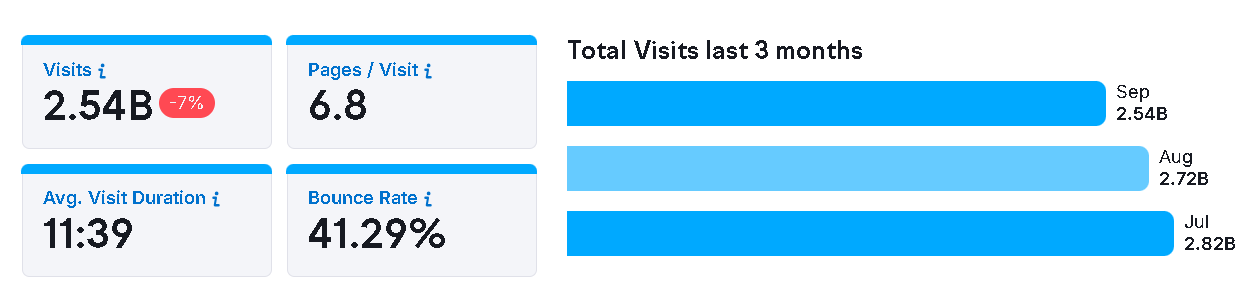
That reach sits on top of a fast-growing creator-products market. The global print-on-demand market - which powers Amazon's Merch on Demand and most digital-art monetization - was worth roughly $12.96 billion in 2025 and is on track for about $75.30 billion by 2033, a 25.3% compound annual growth rate. Apparel makes up about 39.7% of that market, which is exactly the t-shirts, hoodies, and totes Merch on Demand sells. In other words, the demand is real; the question is how much of each sale you keep.
Benefits for Entrepreneurs
For entrepreneurs, selling digital products on Amazon offers several pros. These include:
- Access to a Massive Audience: Selling digital products on Amazon gives you exposure to millions of active buyers. You don't have to build your own website or spend heavily on ads to attract traffic to make sales.
- Low Startup Costs and Minimal Risk: The cost of getting started on Amazon is minimal. You can upload your digital products and start earning royalties or commissions without managing inventory or shipping.
- Ideal for Different Types of Creators: Amazon offers opportunities for entrepreneurs of all kinds. With this flexibility, you can diversify your income streams and grow your brand.
The trade-off worth naming: on Amazon you don't own the customer, and the platform sets the economics. That's fine for reach, but it's why we recommend running an owned store alongside it (more on that in the digital-art section below).
Also Read:
What Digital Products Can You Sell on Amazon?
Amazon gives creators access to multiple platforms where they can sell different digital products. Each platform has its own publishing tools, audience, and revenue system.
Below is a detailed breakdown of the main digital product categories you can sell on Amazon without inventory.
What You Can't Sell Digitally on Amazon
While Amazon offers several ways to sell digital products, there are restrictions on what can be listed.
Sellers cannot offer direct file downloads, such as PDFs, templates, or digital planners. These products must be distributed through approved platforms like KDP or Merch on Demand.
Similarly, online courses, software, or apps that aren't distributed via the Amazon Developer Console are not permitted. This is one more reason to keep an owned storefront in your mix - the digital downloads Amazon won't let you sell directly (templates, planners, presets) are exactly what you *can* sell on your own site.
Step-By-Step: How to Sell Digital Products on Amazon
Learning how to sell digital products on Amazon is simple. Here's a breakdown of what's involved.
Step 1 - Create an Amazon Seller or KDP Account
Start by creating your account. Visit sellercentral.amazon.com if you plan to sell through Merch or the Appstore.

Alternatively, go to kdp.amazon.com if you’re publishing ebooks or journals.
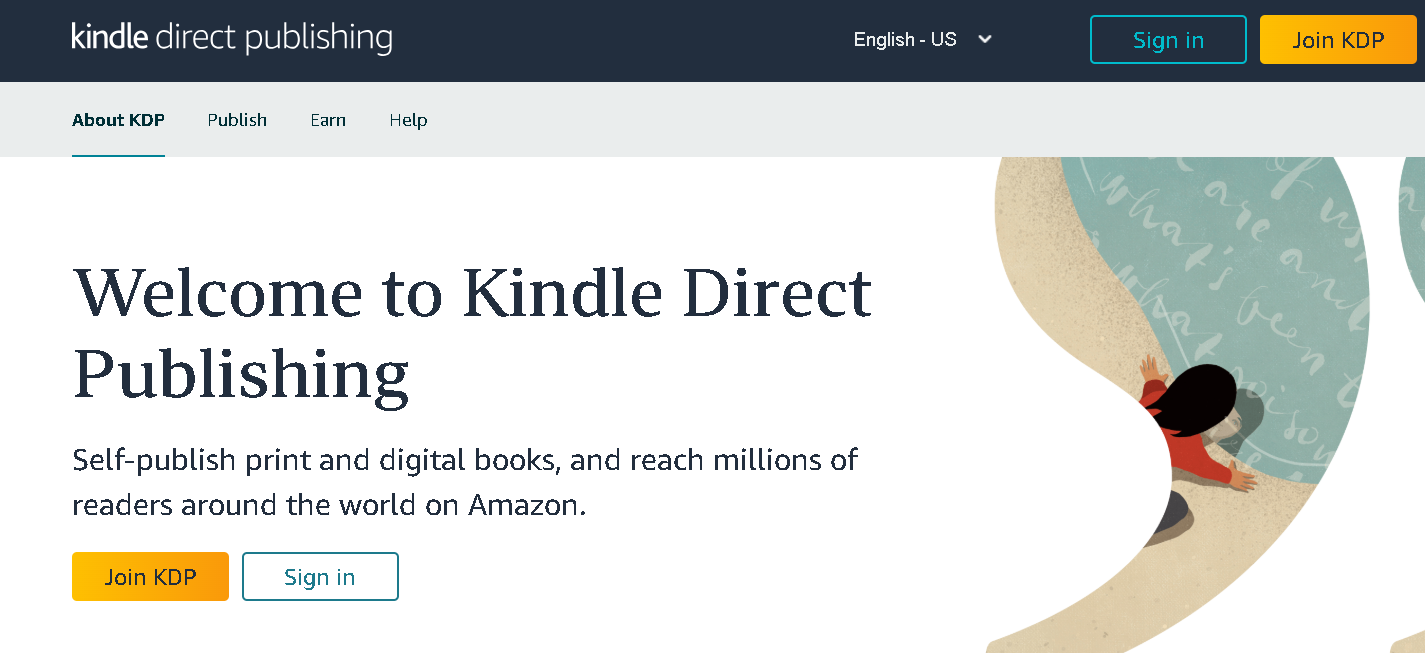
On these platforms, you can choose between two plan options:
- Individual: $0.99/unit sold plus a per-item referral fee based on the category.
- Professional: $39.99/month, offers advanced selling tools and reporting features.
Once you've chosen a plan, verify your identity, business details, and tax information.
Step 2 - Choose Your Product Type
The next step is to determine what to sell online. This is important because different digital products on Amazon have different upload platforms and rules.
As listed in the section above, the digital product categories you can sell on Amazon include eBooks, music, apps and games, art, and print-on-demand designs.
Step 3 - Upload and Optimize Your Product
Once your account is set up, you can upload your digital product. Here are some tips to optimize your product listing.
- Use keyword-rich titles to help people find your products.
- Write clear descriptions and use bullet points to make it easily readable.
- Use high-quality images or cover art (recommended size: 1200×1600 pixels) to make your listing look professional. For print-on-demand designs specifically, submit artwork in high resolution and the CMYK color space - in our own production, that's what produces the most accurate, true-to-screen results.
Step 4 - Set Pricing and Royalties
Next, decide how you want to price your product. The price you set determines how much you can earn, based on the royalty rates below.
- KDP (Ebooks): 35% or 70% royalty, depending on your ebook's list price.
- Amazon Music through TuneCore (Music or Audio): 100% of digital sales (minus the TuneCore fees).
- Amazon Appstore (Apps & Games): 70% of your list price goes to you.
- Amazon Merch on Demand (Digital Art & Designs): Amazon deducts production cost from your retail price - meaning your margin is set by Amazon's costs, not yours.
- Audible / ACX (Audiobooks): 50% royalty for exclusive distribution or 30% royalty for non-exclusive distribution.
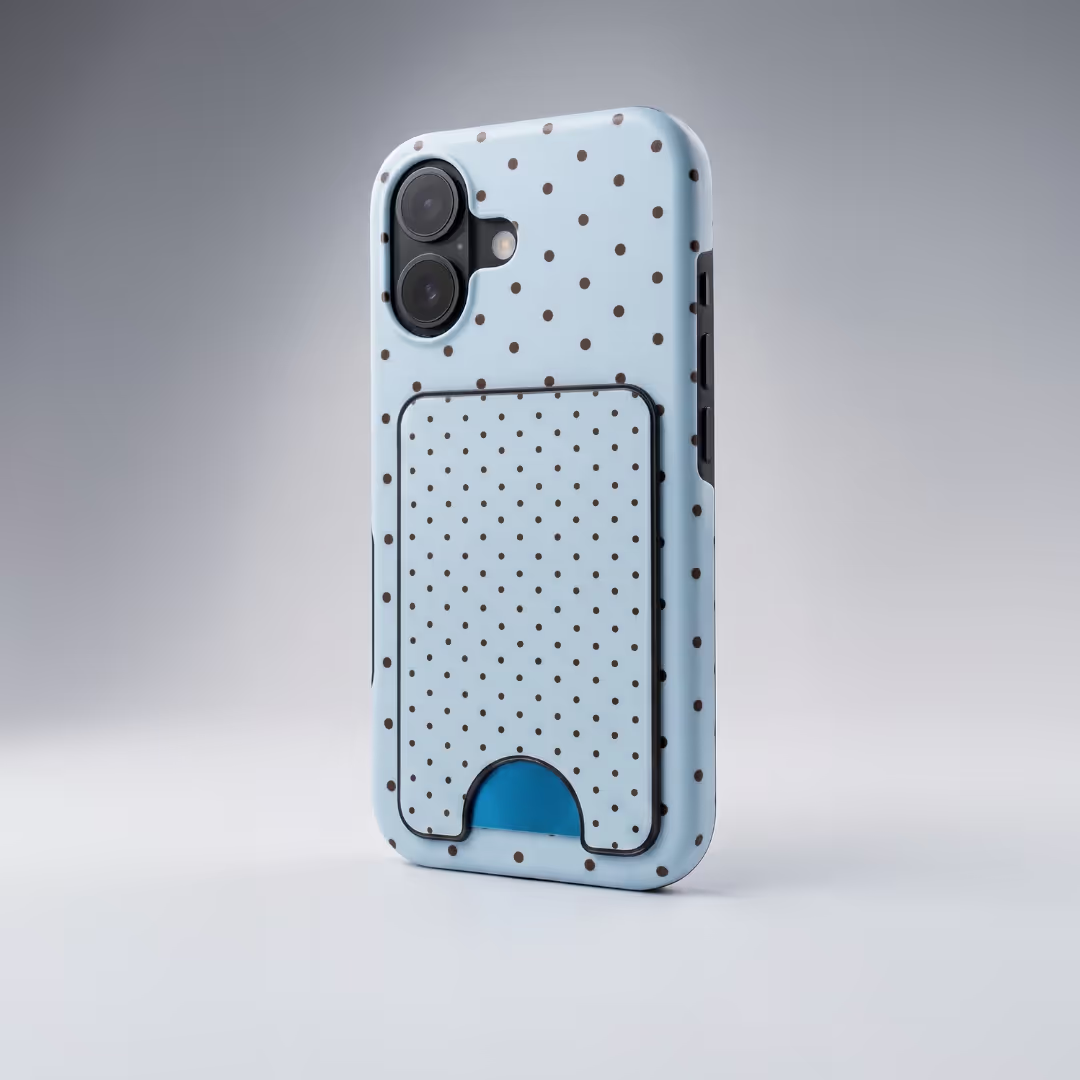
This is where the "own a store too" argument gets concrete. With print-on-demand on your own store, you set the retail price against a known base cost - on Podbase, for example, a phone case you buy for around €10 can sell for €35-60, and our pricing runs 10-15% better than competitors across most categories. Typical POD seller margins land around 20%, climbing to 30% for top performers. On Amazon Merch you trade that margin control for reach.
Step 5 - Launch and Promote
After publishing, you need to market your product to drive traffic to your Amazon listing. You can use any of these methods to grow your reach.
- Amazon Ads: Run Sponsored Product ads so your listing shows up in search results.
- Social Media Marketing: Showcase your products on TikTok, Instagram, and YouTube to attract interest.
- Email Campaigns: Send updates to your subscribers about new launches or special offers.
Set expectations honestly here: "passive" digital income still needs marketing. As our CMO Vytautas Mikaila puts it, *"Do not treat SEO like passive free traffic. It is not that anymore."* Across our own sellers, 99% get the majority of their traffic from paid social ads. Plan a small ad budget from day one rather than publishing and hoping.
Also Read:
- How to Start an Ecommerce Business Without Money
- How to Monetize Social Media: Ways to Turn Followers Into Income
- 30 Spring Products to Sell in 2026: Ideas for Online Stores
How to Sell Digital Art on Amazon
You can make money from your artwork once you know how to sell digital products on Amazon.
To get started:
- Sign up for a Merch on Demand account if you already have an Amazon account.
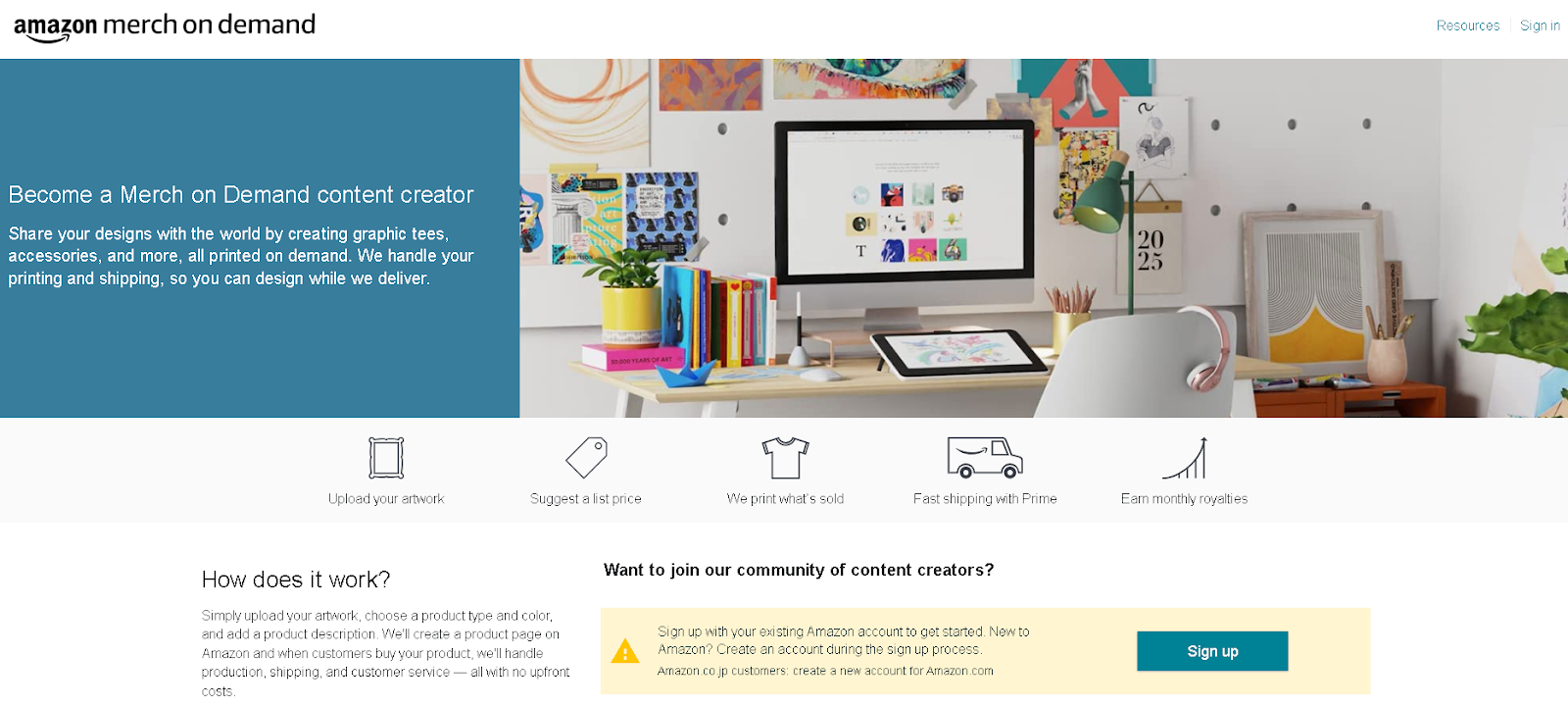
- Once your account is set up, prepare and upload your digital artwork. Save each design as a PNG at 300 DPI with a transparent background (CMYK source files reproduce most accurately).
- Next, choose which products to offer. Start with a few dropshipping ideas like t-shirts, hoodies, tote bags, and posters.
- Afterwards, set your price. You can start low to attract buyers and raise prices later.
Why This Works - and Where It Falls Short
Amazon handles printing, packing, and shipping, so you avoid inventory and shipping headaches. This keeps your startup cost low and your risk small.
Here's the part most guides skip. Merch on Demand is convenient, but you don't set your own margin (Amazon deducts production cost), you don't own the customer, and acceptance is gated - new accounts start with tight design limits. That's why we'd push back on treating Amazon Merch as your whole business. Run it for reach, but build an owned store in parallel: connect a Shopify or Etsy store to a POD partner like Podbase, and you keep the margin (10-15% better than competitors, up to 100% better than other POD providers), the customer email, and control over which products you sell. The same design can earn on both - Amazon for discovery, your store for profit.
And the single biggest predictor of who actually earns is speed, not polish. As Sidas, our Head of Sales, notes, *"The sellers who succeed move fast and test first... Most successful stores are up and running within two weeks."* Concretely: place a sample order in your first two days and get five products live within 30 days and you're already ahead of 80% of POD stores; ten sales puts you in the top 10%.
How to Sell Ebooks and Planners on Amazon
You can make extra income online from ebook sales once you learn how to sell digital products on Amazon.
Here's how to sell digital downloads on Amazon through KDP.
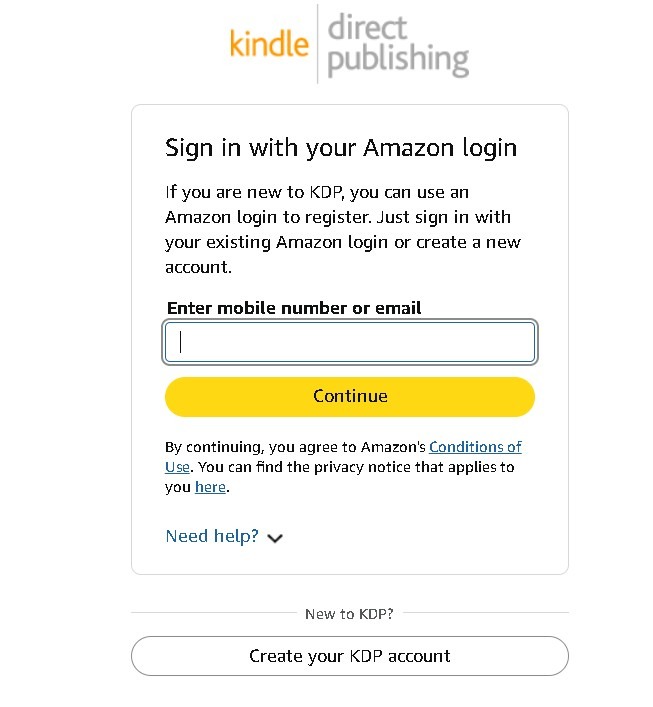
- Create a KDP Account: Visit kdp.amazon.com and sign in with your Amazon account or create a new one.
- Prepare Your Files: Format your interior pages in PDF or DOCX and design a professional book cover in JPG format.
- Upload Your Book: Fill in your title, description, and keywords. Upload both your interior and cover files, then preview how your eBook or planner looks on Kindle devices.
- Set Pricing and Distribution: Choose your list price and enable global distribution to make your book available on all Amazon marketplaces.
Best-Selling Categories
If you're unsure what to create, start with trending niches like:
- Guided journals and affirmation books
- Digital business planners
- AI prompt guides and productivity eBooks
- Coloring books for adults
- Self-help and career growth content
KDP Royalties
Amazon pays royalties based on your book's price and size:
- 35% royalty for books priced below $2.99 or above $9.99
- 70% royalty for books priced between $2.99 and $9.99
- Delivery fee of $0.15/megabyte (MB) for ebooks
How to Sell Music and Audio Files on Amazon
TuneCore is a great channel to sell music on Amazon as it pushes your tracks to Amazon Music (and 150+ streaming services).
You keep 100% of your royalties and only pay the distribution fee. It's good for independent musicians, podcasters, or producers looking to reach more listeners.
Steps to Sell Your Audio Files
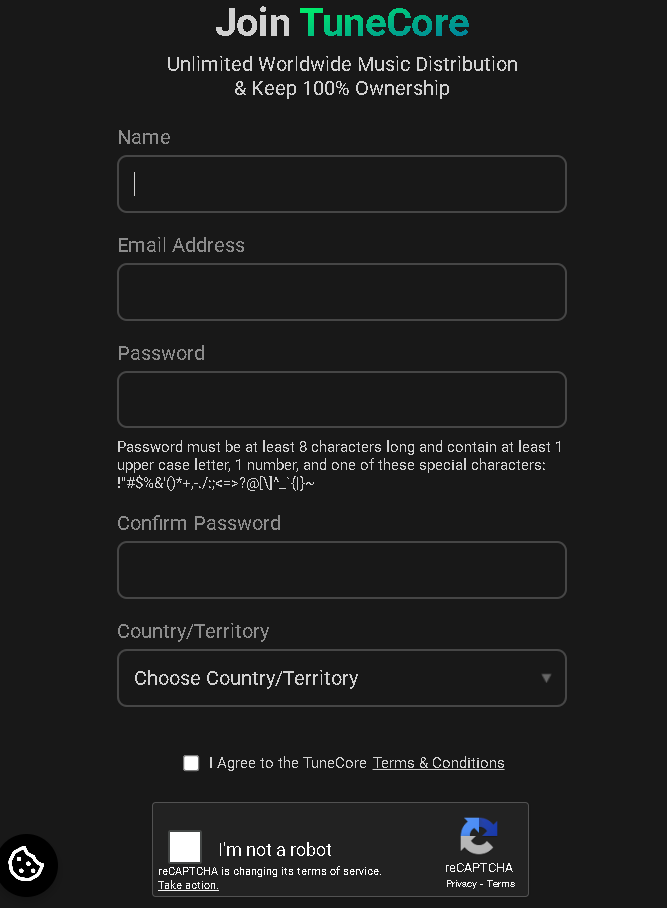
- Visit tunecore.com and sign up for an account.
- Upload your mastered audio files in formats like WAV and FLAC.
- Upload an eye-catching album cover as JPG or GIF (at least 1600 × 1600 pixels), then fill in all metadata, including song title, artist name, genre, and release date.
- Choose where you want your audio to appear. You can select Amazon Music and over 150 other platforms.
How to Sell Apps and Games on Amazon
If you've built a mobile app or game, you can sell your digital products on Amazon to millions of users worldwide.
Amazon statistics show that around 19% of apps on the Amazon Appstore are paid, compared to only about 3% on Google Play.
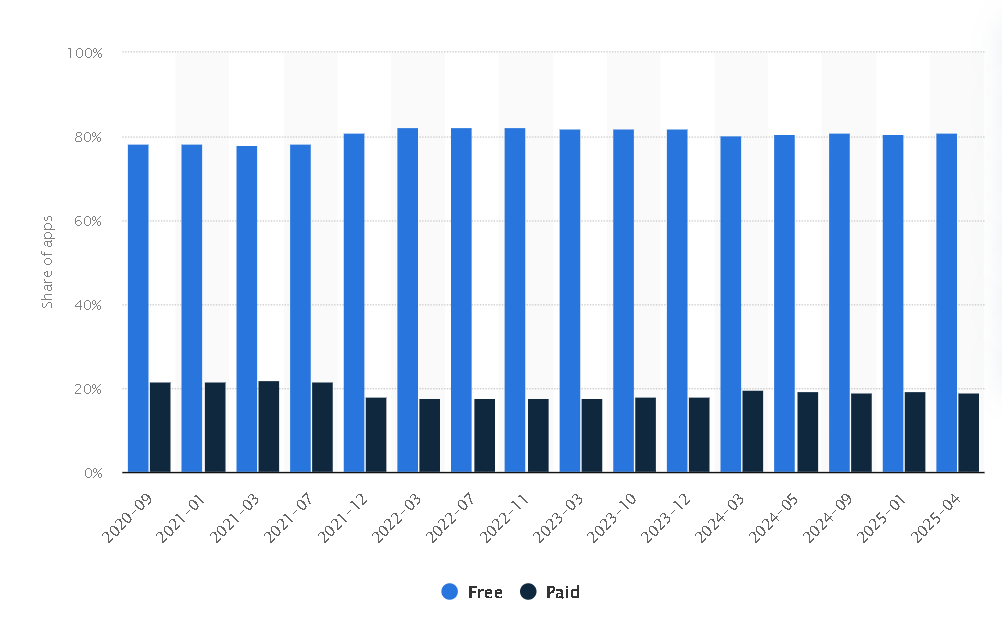
As a developer, you have more opportunities to earn from premium downloads. Here's what you can do:
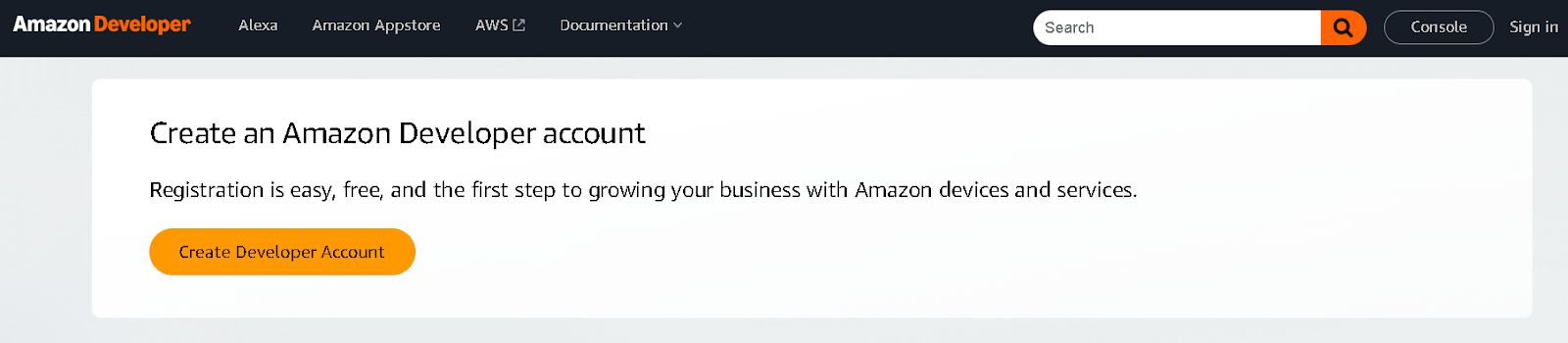
- Go to the Amazon Developer Console and create an account.
- Submit your app package in .apk or .aab format. Test and optimize it for Amazon devices like Fire tablets.
- Upload your app metadata like title, description, pricing, icon, and screenshots.
- Use the Amazon Monetization SDK to set up in-app purchases, ads, or subscriptions.
Marketing Strategies for Selling Digital Products on Amazon
Amazon's marketplace is competitive, so you need to ensure your products stand out and earn consistent sales.
Here are the marketing methods you can use to reach more people for your digital products.
Optimize for Amazon SEO
Just like Google, Amazon uses search algorithms to match products with what shoppers are looking for.
To rank higher, focus on keywords your ideal customers type into the search bar. Add these keywords naturally to your product title and description, and make sure the product images are high-quality. One caution from our own marketing team: search visibility is no longer "free traffic." *"Do not treat SEO like passive free traffic. It is not that anymore,"* says our CMO. Treat your listing copy as a living asset you refine, not a set-and-forget upload.
Leverage TikTok and Pinterest
Social media advertising is a powerful way to promote your digital products. Platforms like TikTok and Pinterest are effective because they focus on visuals and short-form storytelling - which is exactly why 99% of our own sellers get the majority of their traffic from paid social.
You can create short videos on TikTok that showcase your product in action. You can also sell on Pinterest by designing pins that drive traffic to your Amazon store.
Email and Content Marketing
Build an audience outside Amazon so you have control over your marketing and sales. Create a website or landing page where customers can sign up for updates. This is the part Amazon can't give you - a direct relationship with your buyers.
Once you have an email list, send newsletters featuring product updates and tips related to your business niche. Pair this with content marketing - blog posts, guides, or short tutorials that educate your audience while promoting your product.
Also Read:
Conclusion
Follow the steps in this guide on how to sell digital products on Amazon to get started. Begin small, test your ideas, and scale as your sales grow - and remember that Amazon works best as one channel, not your entire foundation.
The creators who build something durable use Amazon for reach and an owned store for profit and customer ownership. You can sell print-on-demand items on Amazon and, in parallel, build your own POD brand with Podbase - keeping the margin, the customer, and the control. Start with a sample order, get a handful of products live, and let the data tell you what to scale.
FAQ
1. Can you sell digital products on Amazon?
Yes, but only through Amazon's approved platforms. You can sell ebooks via Kindle Direct Publishing (KDP), print-on-demand designs via Merch on Demand, music via TuneCore, apps and games via the Amazon Appstore, and audiobooks via Audible. Amazon does not allow direct file downloads such as standalone PDFs, templates, or digital planners, and it does not allow software or apps distributed outside the Amazon Developer Console.
2. What can't you sell digitally on Amazon?
Amazon prohibits direct digital file downloads - standalone PDFs, templates, digital planners, presets - and any software or apps not distributed through the Amazon Developer Console. These products must either go through an approved Amazon platform (like KDP) or be sold on your own store instead.
3. How much royalty do you earn selling digital products on Amazon?
Royalties vary by platform: KDP ebooks pay 35% or 70% depending on list price; TuneCore pays up to 100% of music royalties minus distribution fees; the Amazon Appstore pays developers 70% of the app list price; Audible pays 30-50% on audiobooks; and Merch on Demand pays a royalty after Amazon deducts production cost from your retail price, meaning your margin is set by Amazon.
4. Is selling digital products on Amazon really passive income?
It's semi-passive at best. Once a product is listed it can sell repeatedly, but it still needs marketing to get discovered. Across Podbase sellers, 99% get the majority of their traffic from paid social ads rather than from organic search, so plan a small ad budget and treat your listings as assets you actively promote - not set-and-forget uploads.
5. Is it better to sell print-on-demand on Amazon Merch or your own store?
Use both, for different jobs. Amazon Merch on Demand gives you reach but sets your margin (it deducts production cost) and you don't own the customer. An owned store connected to a POD provider like Podbase lets you set your own price against a known base cost - pricing runs 10-15% better than competitors and up to 100% better margins than other POD providers - and you keep the customer relationship. Amazon for discovery, your store for profit.
6. How do you sell ebooks on Amazon?
Create a free Kindle Direct Publishing (KDP) account at kdp.amazon.com, format your interior as a PDF or DOCX and your cover as a JPG, upload both with a keyword-rich title and description, set your list price, and enable global distribution. Books priced $2.99-$9.99 earn a 70% royalty; books outside that range earn 35%, minus a $0.15/MB delivery fee.
7. How do you sell print-on-demand designs on Amazon?
Sign up for Amazon Merch on Demand, upload each design as a 300 DPI PNG with a transparent background (CMYK source files reproduce most accurately), choose products like t-shirts, hoodies, totes, and posters, and set your price. Amazon handles printing, packing, and shipping. To keep more margin and own the customer, run the same designs on your own Shopify or Etsy store connected to a POD provider like Podbase.

Saulius Meilutis is the CEO of Podbase, helping creators and entrepreneurs monetize their ideas with print-on-demand. He shares insights on eCommerce, growth, and building lean online businesses.

.avif)

.avif)


.avif)
.avif)
.avif)
.avif)
.avif)
.avif)

.avif)
.avif)

.avif)


.avif)
.avif)

.avif)